
Commercial Deli Cases
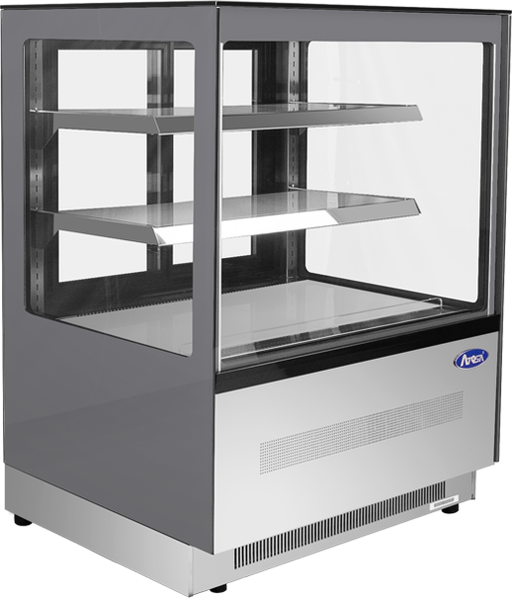
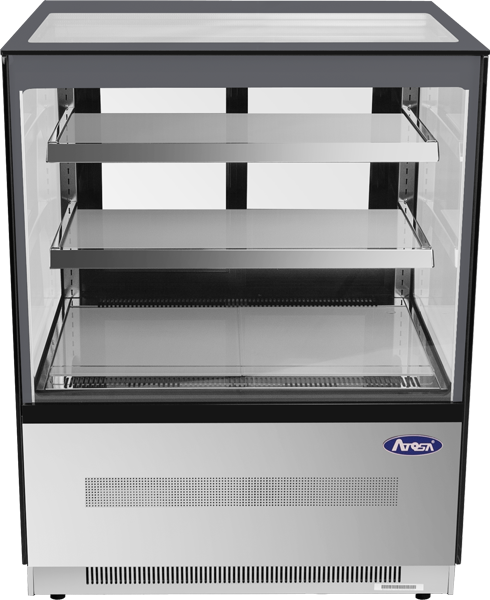
Atosa RDCS-35 35-inch Floor Model Refrigerated Display Case
Atosa
Original price
$4,000.00
Original price
$4,000.00
-
Original price
$4,000.00
Original price
$4,000.00
Current price
$2,882.00
$2,882.00
-
$2,882.00
Current price
$2,882.00
Atosa RDCS-35 35-Inch Floor Model Refrigerated Display Case – 10.9 Cu. Ft. The Atosa RDCS-35 Floor Model Refrigerated Display Case is designed to...
View full details
Original price
$4,000.00
Original price
$4,000.00
-
Original price
$4,000.00
Original price
$4,000.00
Current price
$2,882.00
$2,882.00
-
$2,882.00
Current price
$2,882.00
Save 28%
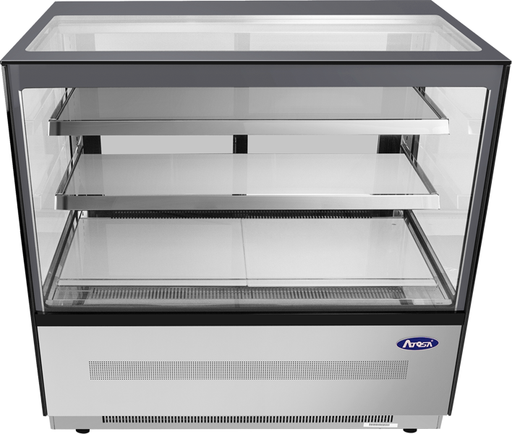
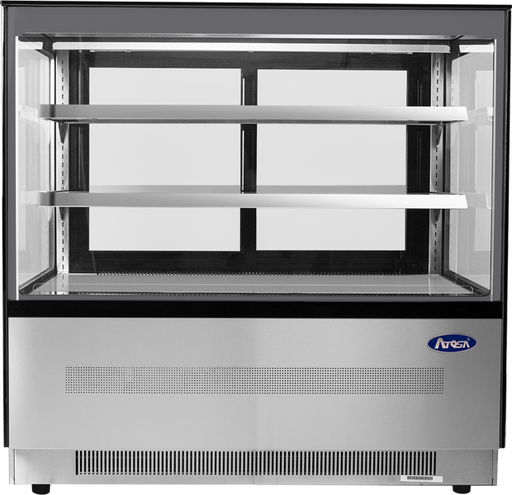
Atosa RDCS-48 48-inch Floor Model Refrigerated Display Case
Atosa
Original price
$4,500.00
Original price
$4,500.00
-
Original price
$4,500.00
Original price
$4,500.00
Current price
$3,243.00
$3,243.00
-
$3,243.00
Current price
$3,243.00
Atosa RDCS-48 48-Inch Floor Model Refrigerated Display Case – 15.1 Cu. Ft. The Atosa RDCS-48 Floor Model Refrigerated Display Case delivers high-...
View full details
Original price
$4,500.00
Original price
$4,500.00
-
Original price
$4,500.00
Original price
$4,500.00
Current price
$3,243.00
$3,243.00
-
$3,243.00
Current price
$3,243.00
Save 28%
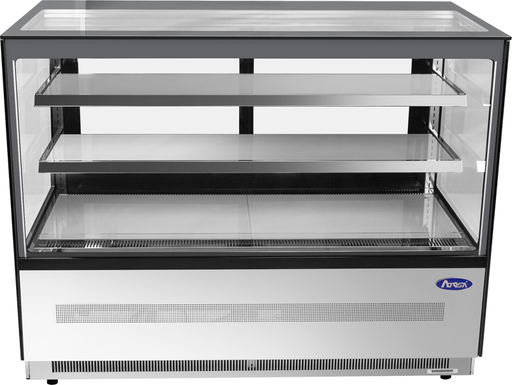
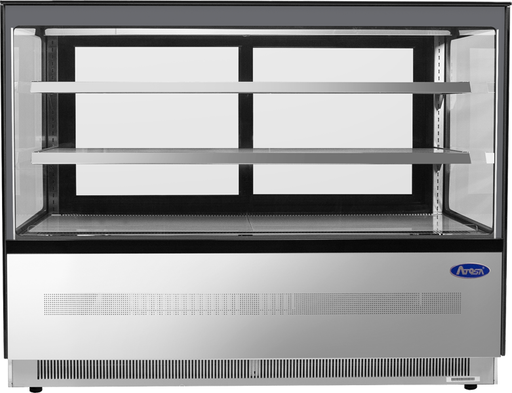
Atosa RDCS-60 60-inch Floor Model Refrigerated Display Case
Atosa
Original price
$5,000.00
Original price
$5,000.00
-
Original price
$5,000.00
Original price
$5,000.00
Current price
$3,603.00
$3,603.00
-
$3,603.00
Current price
$3,603.00
Atosa RDCS-60 60-Inch Floor Model Refrigerated Display Case – 20.2 Cu. Ft. The Atosa RDCS-60 Floor Model Refrigerated Display Case delivers high-...
View full details
Original price
$5,000.00
Original price
$5,000.00
-
Original price
$5,000.00
Original price
$5,000.00
Current price
$3,603.00
$3,603.00
-
$3,603.00
Current price
$3,603.00
Save 28%

Choose a Deli Display Case Around Your Menu
A deli case should fit the food you sell and the way your staff serves it. Start with a list of the chilled items you want customers to see: packaged sandwiches, prepared foods, refrigerated desserts, drinks or another approved product mix. Then consider the containers, portion sizes and display quantities. A cabinet that fits the room can still be the wrong choice if your trays do not fit its shelves or staff cannot comfortably reach the products.
The Atosa RDCS models in this collection are floor-standing refrigerated display cases with a square-glass presentation and two rear sliding doors. They suit a staffed-counter layout in which customers browse from the front and employees retrieve or replenish products from behind. They are not open-front self-service cases, refrigerated prep tables or automatically a substitute for a dedicated raw-meat display.
Use the product pages to compare the models, then check the current specifications and your intended food application before purchasing. For back-of-house inventory rather than customer-facing display, browse commercial refrigerators.
Compare Atosa RDCS Deli Display Cases
The model names describe approximate size classes, not identical installation widths. The RDCS-48, for example, is listed at 47.2 inches wide, while the RDCS-60 is listed at 59 inches. Use the actual dimensions when checking your available space.
| Model | Listed width × depth × height | Listed capacity | Where to start your comparison |
|---|---|---|---|
| Atosa RDCS-35 | 35.4 × 29.5 × 47.8 inches | 10.9 cu. ft. | A narrower location or a focused chilled selection |
| Atosa RDCS-48 | 47.2 × 29.5 × 47.8 inches | 15.1 cu. ft. | More display width for several product groups |
| Atosa RDCS-60 | 59 × 29.5 × 47.8 inches | 20.2 cu. ft. | A wider selection when the floor plan supports it |
All three are listed with two adjustable stainless steel shelves, two rear sliding doors, stainless steel interiors and exteriors, and two-inch casters. Their listed refrigerated operating range is 33°F to 38°F. Product capacity alone does not tell you how many portions will fit: check shelf dimensions, container height, permitted loading and the space needed for air circulation.
Review the Atosa RDCS-series specification sheet alongside the selected product page. Confirm current specifications before finalizing cabinetry, electrical work or delivery arrangements.
Deli Case, Bakery Case or Meat Case?
Choose by the food application and the equipment specification, not just the category name. A glass-front refrigerator does not establish that a model is suitable for every perishable food.
| What you need to display | What to confirm before buying |
|---|---|
| Chilled prepared foods and packaged sandwiches | Approved food use, container fit, required holding conditions and staff access |
| Refrigerated desserts | Product temperature requirements, shelf spacing and suitability for the particular dessert |
| Shelf-stable bread and baked goods | Whether refrigeration is needed at all; do not buy a refrigerated cabinet solely for its appearance |
| Raw meat or poultry | A case specifically suitable for that application, including the required temperature, sanitation and moisture-management characteristics |
| A mixed menu | Compatibility of the foods and their required conditions; do not assume one cabinet can safely serve every purpose |
For a butcher counter, ask about raw-meat suitability before choosing any of these RDCS units. Do not assume that their refrigerated temperature range means they provide the same environment as a specialized fresh-meat case. Keep raw and ready-to-eat food handling separate under your food-safety procedures.
If you need to compare smaller countertop models with floor-standing equipment, use the broader countertop display case collection. This page focuses on the floor-standing RDCS models shown above, rather than treating every display style as the same purchase.
Choosing a Bakery or Pastry Display Case
If your deli counter also sells desserts, build a bakery display plan around each recipe rather than treating every baked item alike. Record its required holding conditions, the tray or container it uses, and the quantity you expect to sell between restocking runs. Include fillings, toppings and packaging in that review. Do not decide whether refrigeration is required simply because an ingredient such as dairy appears in the recipe; confirm the requirements for the finished product under your food-safety procedures.
A refrigerated bakery case and a dry bakery case serve different purposes. This collection contains refrigerated RDCS floor models, not ambient bread cabinets or cases with separate chilled and room-temperature zones. When your menu includes both refrigerated desserts and verified shelf-stable baked goods, plan separate suitable display areas rather than expecting one temperature setting to suit everything.
| Bakery display need | What to check |
|---|---|
| Whole cakes and tall desserts | Measure the cake board, stand, packaging and full finished height. Check shelf spacing and the opening through which staff must move the cake. |
| Individual pastries and dessert portions | Lay out the actual trays and labels. Allow employees to lift out one portion without disturbing adjacent products or decorations. |
| A mixed deli and dessert counter | Confirm compatible holding requirements and food applications. Plan separate product areas and handling utensils as required by your procedures. |
| Bread or other verified shelf-stable items | Consider a separate dry display when appropriate. A refrigerated cabinet is not automatically the right environment just because it offers more shelves. |
| A small checkout display | Compare a countertop refrigerated display with a floor model, checking usable space and the support requirements of the selected unit. |
Plan the Display for Busy and Slow Periods
Sketch two shelf layouts before choosing a size: one for your busiest service period and one for quieter hours. For example, a cafe might plan space for chilled dessert portions alongside its packaged lunch selection, then use smaller trays as each group sells down. This is more useful than buying enough display space for the entire day's production or preparing extra food only to make the case look full.
Group similar items, keep names and prices readable, and place featured products where customers can see them from the queue. Check whether tall cake stands hide the shelf behind them and whether overhead shop lighting creates distracting reflections. Use only suitable, cleanable display accessories that fit the permitted loading area; do not add decorations that block airflow, interfere with doors or make food handling awkward.
Walk through the transaction from the employee's side as well. Identify where serving utensils, packaging and the selected item will go while the customer pays. In a rear-access pastry display, a beautiful arrangement is only practical if staff can retrieve a portion, close the doors and replenish the tray without reaching over unrelated foods.
Evaluate Reviews Against Your Bakery's Actual Needs
When comparing models, look for reviews that identify the exact equipment and explain the operating conditions. Comments about tray access, shelf adjustment, cleaning or condensation can help you form questions for the supplier. A star rating alone does not establish suitability for your menu, and an owner's experience does not replace the current specification sheet.
Ask about the complete operating budget as well as the purchase price. Include electricity, routine care, service access and any site preparation in your comparison. Verify model-specific energy information and warranty terms rather than assuming a higher price, LED lighting or a premium-looking finish guarantees lower running costs.
Size the Display for Your Products and Your Space
Begin with the serving dishes and packages that must fit, not simply the largest cabinet the room can hold. Measure a typical sandwich container, salad package or dessert tray, then plan how many you expect to display between replenishment runs. Include the height of lids, stands and labels, not just the food itself.
Make a simple layout on paper. Identify which items need their own shelf area, which need more vertical space, and which must remain easiest for staff to reach. Adjustable shelves help, but the product must still fit within the model’s loading instructions and airflow requirements. Do not use all available cubic footage as a promise of usable tray capacity.
Check three areas before ordering:
- The installation position: Measure the full width, depth and height, allowing the clearances required by the manufacturer.
- The working area: Leave room behind the case for staff to serve, restock, clean and access service components without obstructing circulation.
- The delivery route: Measure doorways, tight turns, elevators and thresholds. Check shipment dimensions separately from the cabinet dimensions.
Choose the smaller case if it comfortably handles the planned display and fits the workflow. Consider a larger model when you need more visible selection, but do not buy extra display space as a substitute for appropriate back-of-house storage.
Rear-Access Service and Customer Visibility
The two rear sliding doors on the RDCS series define how these cases work. Position the glass toward customers and the access side toward staff. Before committing to a location, walk through taking an order, retrieving an item, closing the doors and replenishing stock.
A well-planned display should not force staff to cross a customer queue every time an item sells. It also needs enough room for safe tray handling. Sliding doors avoid a hinged door projecting outward, but the rear of the cabinet still needs the access and ventilation space specified for the model.
The RDCS series includes double-pane tempered glass, a front defog feature and LED lighting on the shelves and at the top of the cabinet. Keep the glass and lighting areas clean so customers can see the products clearly. Do not treat a defog feature as permission to place the unit in any temperature or humidity condition.
If your plan is for customers to open the case themselves, identify the appropriate self-service equipment before ordering. “Grab-and-go food” describes the product format; it does not make a rear-access cabinet a front-access self-service merchandiser.
Square Glass, Lighting and a Clear Display
The models in this collection have square-glass styling. When comparing them with curved-glass alternatives elsewhere, consider the view from the customer’s actual approach, ease of cleaning and the access available to staff. Neither shape should replace checking food suitability, dimensions and service needs.
Keep the merchandising plan simple. Give each product group a clear location, make labels readable and replenish in manageable batches. Check the display from both sides of the counter: an arrangement that looks attractive from the front may be awkward for an employee to reach from behind.
Avoid covering vents with signs, packaging or decorative risers. Keep food within the specified loading area, and make sure containers do not prevent doors from closing. Presentation should work with the refrigeration system rather than interfere with it.
Refrigeration, Temperature and Food Handling
Atosa lists a 33°F to 38°F refrigerated operating range for the RDCS series. That equipment specification is not a guarantee that every item inside is at the correct temperature. Follow the manufacturer’s operating instructions, applicable local food rules and the requirements of the food being displayed.
Use appropriate temperature checks for your operation rather than relying only on the controller display. Check performance under normal service conditions, including replenishment and door opening. If a case cannot maintain the required conditions, protect the food under your food-safety procedures and arrange qualified service.
Load food at its required holding temperature. Do not use a display case to cool hot prepared food unless the equipment is expressly designed and approved for that process. Do not promise longer shelf life merely because the cabinet is refrigerated.
Airflow and moisture management also matter when comparing equipment. Some specialized meat cases use gravity-coil designs, while other refrigerated displays use different cooling arrangements. The RDCS specification sheet does not establish a selectable gravity-coil option or user-adjustable humidity control, so these are not offered as features of the models on this page.
Installation, Electricity and Service Access
The RDCS series uses a rear-mounted compressor and R290 refrigerant. Plan the installation around the model’s ventilation and service requirements. Do not enclose a floor model in cabinetry or place it against equipment that blocks access without confirming the installation is permitted.
The published specifications list 120V, 60Hz, single-phase power and a NEMA 5-15P plug for all three models. Listed amperage differs: 5.5 amps for the RDCS-35, 6.2 amps for the RDCS-48 and 11.5 amps for the RDCS-60. Have the electrical supply checked against the current model requirements rather than assuming every nearby outlet is suitable.
Before delivery, confirm the shipment access, unloading arrangements and final placement. Follow the setup instructions before starting the unit and allow it to reach the required conditions before stocking. Refrigeration-system repairs, especially on R290 equipment, belong with qualified technicians.
Cleaning and Preventive Care
Create a care routine that follows the equipment manual and your food-safety procedures. Move food to suitable storage before cleaning, use approved cleaning and sanitizing methods, and keep chemicals away from exposed food. Follow the required shutdown and electrical precautions.
Pay attention to glass, handles, shelves, door tracks and gaskets. Remove spills promptly, inspect the door seals and make sure the doors close properly after cleaning and restocking. Use cleaning products and tools suitable for the cabinet materials rather than abrasive methods that can damage surfaces.
Keep the condenser and ventilation areas maintained according to the manual. Atosa’s specification sheet specifically calls for breathing room around the unit and frequent condenser cleaning. Arrange service for abnormal temperatures, damaged seals, persistent condensation or other changes in performance rather than assuming a controller adjustment will solve every problem.
Plan the Purchase Around the Whole Setup
Compare the selected model’s current price with the cost of getting it into service. Delivery access, electrical preparation, installation, ongoing care and useful display capacity all belong in the decision. A lower purchase price is not good value if the cabinet does not suit the menu or cannot fit the site.
Check current pricing and availability on the individual product page. Confirm the applicable warranty and delivery details before ordering rather than relying on a general collection-level promise.
If you prefer to explore payments instead of an upfront purchase, review restaurant equipment financing. For a different equipment-acquisition route, see restaurant equipment rental options. Eligibility, equipment availability and agreement terms need confirmation for the particular purchase.
Deli Display Case Questions
What sizes of Atosa deli display cases are in this collection?
This collection features the RDCS-35, RDCS-48 and RDCS-60. Their listed actual widths are 35.4, 47.2 and 59 inches, with capacities of 10.9, 15.1 and 20.2 cubic feet respectively. Compare actual dimensions rather than relying only on the model name.
Are these countertop or floor-standing display cases?
The three RDCS models are floor-standing refrigerated display cases. If you need a smaller unit for an existing counter, compare the countertop models in the broader Display Cases collection and verify the counter’s suitability for the selected equipment.
Can customers access the food from the front?
The RDCS specification lists two rear sliding doors. Plan these units around staff access from behind the case rather than assuming they offer front-door or open-front customer self-service.
Can I use one of these cases for raw meat?
Do not assume raw-meat suitability from the collection name or temperature range. Confirm that the specific model is approved for the intended food application and meets the necessary temperature, sanitation and moisture-management requirements before buying.
What temperature range is listed for the RDCS models?
Atosa lists a refrigerated operating range of 33°F to 38°F. Follow the current equipment instructions and food-specific requirements, and verify appropriate holding temperatures during operation rather than relying only on the controller display.
Do the RDCS models offer gravity-coil cooling or adjustable humidity?
The specification sheet does not establish either as an available feature of these models. If a particular cooling method or humidity capability is necessary for your menu, confirm that requirement before selecting the equipment.
What electrical supply do these display cases require?
The published RDCS specifications list 120V, 60Hz, single-phase power with a NEMA 5-15P plug. Listed amperage is 5.5 for RDCS-35, 6.2 for RDCS-48 and 11.5 for RDCS-60; confirm the current requirements with your installer.
How do I choose between the RDCS-35, RDCS-48 and RDCS-60?
Compare your intended display quantities and container sizes with the shelves, loading instructions and actual cabinet dimensions. Then check staff access, ventilation, electrical supply and the delivery route before choosing the model.