

Seal the Deal: Finding the Right Atosa Door Gasket
The Unsung Hero of Your Atosa Refrigeration System
When your Atosa condenser fan motor starts making grinding noises at 2 AM, you'll quickly realize how critical this small component is. This motor works tirelessly behind the scenes, spinning the fan that removes heat from your condenser coils. Without it, your entire cooling system fails, your compressor works harder, energy costs spike, and food safety becomes compromised.
In a standard vapor-compression refrigeration system, the condenser fan motor is responsible for moving ambient air across the condenser coil so that hot refrigerant vapor can reject heat and condense back to a liquid. This airflow is not a luxury; it is the lifeline that keeps head pressure in check. When airflow drops, discharge pressure rises, the compressor draws more amps, and the risk of thermal overload or high-pressure trips increases. In other words, a small fan issue can snowball into a big, expensive problem if you ignore it.
The condenser fan motor also influences everything downstream: expansion valve stability, evaporator efficiency, and product temperatures. Stable, adequate airflow equals predictable cooling, steady case temperatures, and fewer surprises during rush periods. For a busy foodservice operation, that translates into better product quality and fewer emergency service calls.
Quick Reference for Atosa Condenser Fan Motor Replacement:
| Key Specification | What to Match | Common Atosa Values |
|---|---|---|
| Voltage | Must match exactly | 120V or 220V |
| Part Number | Check motor label | W0301905, W0301907 |
| RPM | Critical for airflow | 825, 1075, 1550 |
| Rotation | CW or CCW from shaft end | Most Atosa: CCW |
| Horsepower | Motor power rating | 1/8 HP to 1/3 HP |
Signs your motor needs replacement include grinding or squealing noises, the fan not spinning, inconsistent cooling, or visible damage to the motor housing. Selecting the right replacement motor involves matching critical specifications like voltage, RPM, and rotation direction. Using genuine OEM Atosa parts ensures compatibility, safety, and maintains your equipment warranty.
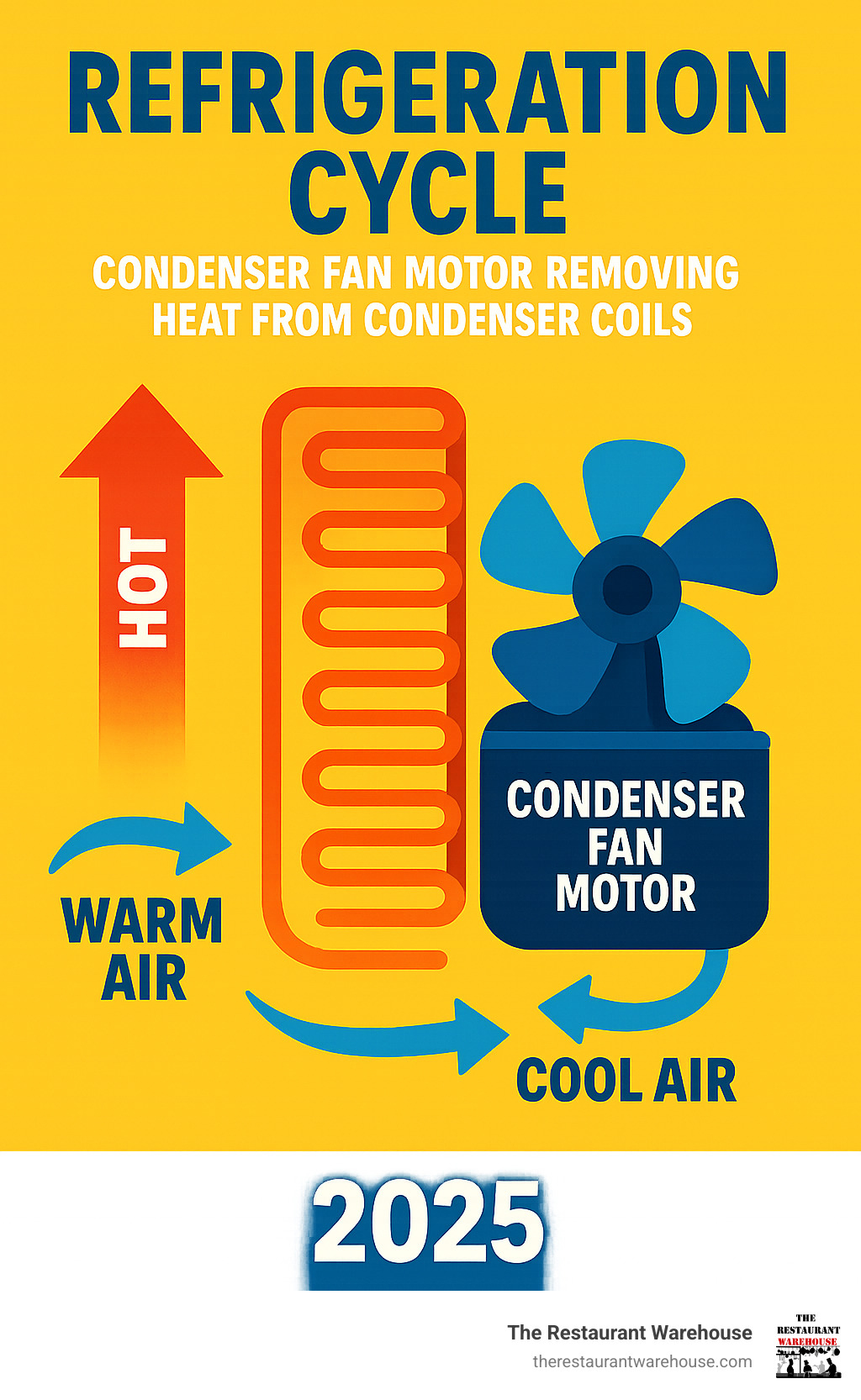
Why this matters for your kitchen:
- Protects the compressor: Adequate airflow keeps discharge temperatures and pressures within design limits, which helps the compressor live longer.
- Saves energy: Efficient heat rejection means shorter compressor run times and lower utility bills.
- Stabilizes temperatures: With the condenser doing its job, your unit reaches setpoint faster and holds temperature more consistently.
- Reduces unplanned downtime: A healthy condenser fan motor is a small investment that prevents bigger breakdowns when you can least afford them.
Where to find the facts you need: The motor nameplate is your best friend. Before you order, snap a clear photo of the label and the mounting arrangement. If the label is worn or missing, check the equipment data plate and the service manual that shipped with your unit. Document the blade diameter, number of blades, and hub orientation as well, because airflow depends on the motor and blade working together.
Pro tip for airflow: The fan is almost always an axial design that pulls ambient air through the condenser coil and exhausts warm air away from the unit. If the motor is reversed or the wrong blade is used, airflow collapses and head pressure climbs. Matching rotation and blade pitch is essential, not optional.
Is Your Condenser Fan Motor Failing? 7 Telltale Signs
Your Atosa condenser fan motor works around the clock, but even the most reliable components eventually show their age. Catching early warning signs can save you from a complete system breakdown during your busiest hours.
Unusual Noises: A healthy motor hums quietly. If you hear grinding, squealing, or whining, the motor's bearings are likely worn out and crying for help. Metallic scraping can also mean a loose fan blade hub is contacting the shroud.
Inconsistent Cooling: If your unit stops cooling properly or can't maintain a steady temperature, the fan may not be removing enough heat from the condenser coils. This forces the compressor to work overtime, straining the entire system and causing temperature swings.
Fan Blades Not Spinning: This is a clear sign of failure. The blades may stop completely, or they might spin slowly and intermittently. If the fan isn't moving, heat builds up dangerously around the coils. Sometimes the culprit is a failed run capacitor on a PSC motor; other times it is a seized bearing.
Motor Overheating: If the motor housing is extremely hot to the touch (always check with the power off), it could indicate an electrical fault or blocked airflow. An overheating motor is a safety hazard and a sign of impending failure.
Visible Damage: Look for cracked housings, frayed wires, or burn marks on the motor. These physical signs confirm the motor has been struggling. Inspect the wiring harness for discoloration and the fan blade for cracks or bent blades.
Excessive Vibration: A motor with failing bearings will vibrate more than usual. This can loosen other components, fatigue wiring, and cause a cascade of problems. Excess vibration also reduces airflow by upsetting the fan blade's angle of attack.
Higher Energy Bills: A struggling motor forces the compressor to run longer and harder, leading to a noticeable spike in your electricity consumption.
Diagnosing the Problem
Once you suspect a failure, a systematic approach can confirm the diagnosis.
- Safety First: Always disconnect power to the refrigeration unit before any inspection. Unplug it or flip the circuit breaker. If you perform any lockout, follow your facility's safety policy and recognized practices such as lockout-tagout. This is a critical safety step.
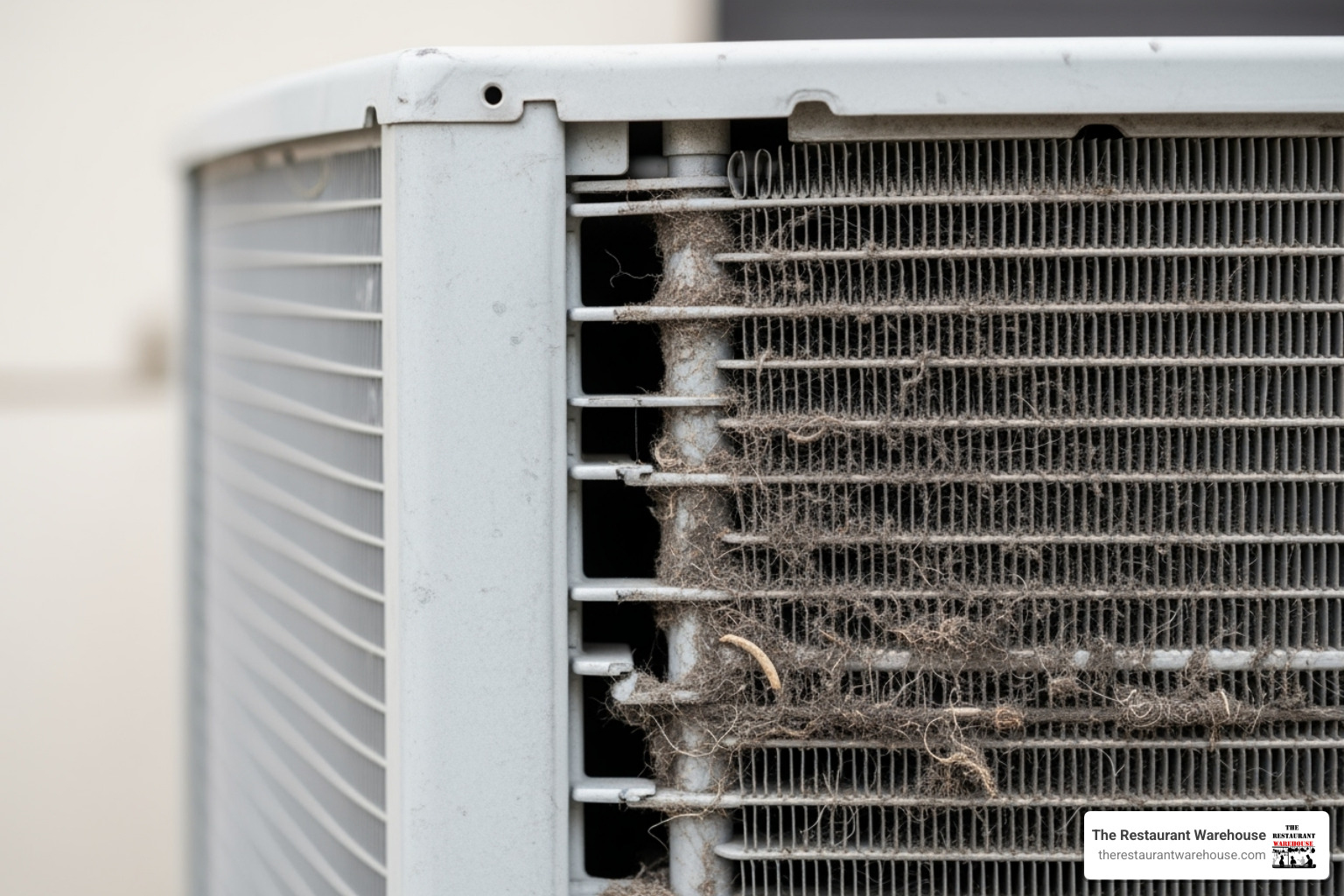
- Visual Inspection: Look for dust, grease, or debris clogging the fan blades and condenser coils. A dirty coil forces the motor to work harder. Check for bent or broken fan blades, which cause imbalance and noise.
- Listen Carefully: If you must restore power to verify a noise, do so with extreme caution and only for a moment. If you see sparks or the fan doesn't spin, cut the power immediately.
- Check Airflow: When running, you should feel strong, warm air being pushed from the condenser coils. Weak or no airflow indicates a problem. Observe whether air is drawn through the coil and exhausted away from the cabinet.
- Manual Spin Test: With the power disconnected, spin the fan blades by hand. They should rotate freely. If they feel stiff, gritty, or stuck, the bearings have likely failed.
- Capacitor Check (for PSC motors): Many condenser fan motors are Permanent Split Capacitor designs that require a healthy run capacitor. A swollen or leaking capacitor is suspect. Capacitors can hold a charge even when power is off; testing and replacement should be done by qualified personnel.
- Distinguish Condenser vs. Evaporator Issues: Warm air at the condenser discharge with poor case temperatures suggests the evaporator side may be iced up or airflow is restricted inside the cabinet. Conversely, little to no warm discharge air points to a condenser fan issue.
- Professional Diagnosis: For electrical issues, it's best to call a qualified technician. They have the tools to test capacitors and motor windings safely. Since a failing Atosa condenser fan motor can damage the expensive compressor, professional confirmation can protect your investment.
Quick triage during a rush:
- Move high-risk product to another working unit if temperatures climb.
- Vacuum loose lint from the condenser grille to restore some airflow.
- Verify that nothing (plastic wrap, cardboard, towels) is blocking the fan intake or exhaust.
- Reduce door openings to minimize heat load until service arrives.
How to Select the Perfect Replacement Atosa Condenser Fan Motor
You've confirmed your Atosa condenser fan motor needs replacing. Finding the right part is crucial for your unit's performance, efficiency, and reliability. While generic parts may seem cheaper, we strongly recommend sticking with genuine Atosa OEM (Original Equipment Manufacturer) parts for a perfect fit and guaranteed performance.

Matching the Critical Specifications
Your old motor's specification label is your guide. Photograph or write down all the information on it before you order a replacement.
- Voltage: This must match your unit's electrical supply exactly. Most Atosa units use either 120V (like the W0301905 motor) or 220V (like the W0301907). The wrong voltage will damage the motor or your unit.
- Horsepower (HP): This indicates the motor's power. Too little HP will lead to poor airflow and overheating, while too much can waste energy. Match the HP rating on the label.
- RPM (Revolutions Per Minute): This determines airflow volume. Common speeds for Atosa condenser fan motors are 825, 1075, and 1550 RPM. Matching the RPM is essential for efficient heat exchange.
- Frame Size and Mounting: This ensures the new motor will physically fit. Check the dimensions and mounting configuration, as some motors have specific adapters.
- Amperage (Amps): This rating confirms the motor's electrical draw and serves as a good double-check.
| Key Specification | Why It Matters | How to Check |
|---|---|---|
| Voltage | Electrical compatibility | Motor label, unit's electrical plate |
| HP | Power output for airflow | Motor label |
| RPM | Airflow volume | Motor label |
| Rotation | Fan blade direction | Motor label (CW/CCW from shaft end) |
| Frame Size | Physical fit & mounting | Measure old motor, compare specs |
| Amperage | Electrical draw | Motor label, unit's electrical plate |
Beyond the basics, consider these details to ensure a drop-in fit and reliable operation:
- Ambient temperature rating appropriate for a hot, greasy kitchen environment.
- Duty cycle and insulation class suitable for continuous operation.
- Shaft diameter and length that match your blade hub and shroud clearance.
- Lead length and connector style so you do not have to splice near hot surfaces.
- If your original motor used an external run capacitor, plan to replace it with the motor using the capacitance value printed on the new motor label.
Understanding Motor Types and Rotation
Most Atosa condenser fan motors are Permanent Split Capacitor (PSC) motors, which are reliable workhorses. You may also find Electronically Commutated Motors (ECM), which are more energy-efficient but have a higher upfront cost. If your application cycles frequently or runs in a high ambient environment, PSC motors are a proven, robust choice; ECMs can provide energy savings where compatible with the control strategy.
If you want to brush up on fundamentals, see the overview of PSC designs at Capacitor-run motors and how axial fans move air at Fan (machine).
Rotation direction is a critical detail that is often missed. It's marked on the label as CW (Clockwise) or CCW (Counter-Clockwise) when viewed from the shaft end. Most Atosa motors, including the popular W0301905 model, require CCW rotation. Installing a motor that spins the wrong way will result in poor or no airflow, causing the system to overheat. When in doubt, trace the original airflow path: the fan should draw cooler room air across the condenser coil and exhaust warmer air away from the unit.
Matching the fan blade matters just as much as matching the motor. A blade with the wrong pitch, diameter, or hub depth can reduce airflow even if the motor is perfect. Reuse the original blade if it is undamaged and compatible with the new motor shaft and rotation. If the blade is replaced, choose the same specifications and ensure proper clearance within the guard and shroud.
Why an OEM Atosa Condenser Fan Motor is the Best Choice
Choosing a genuine OEM part for your Atosa condenser fan motor is an investment in your equipment's future.
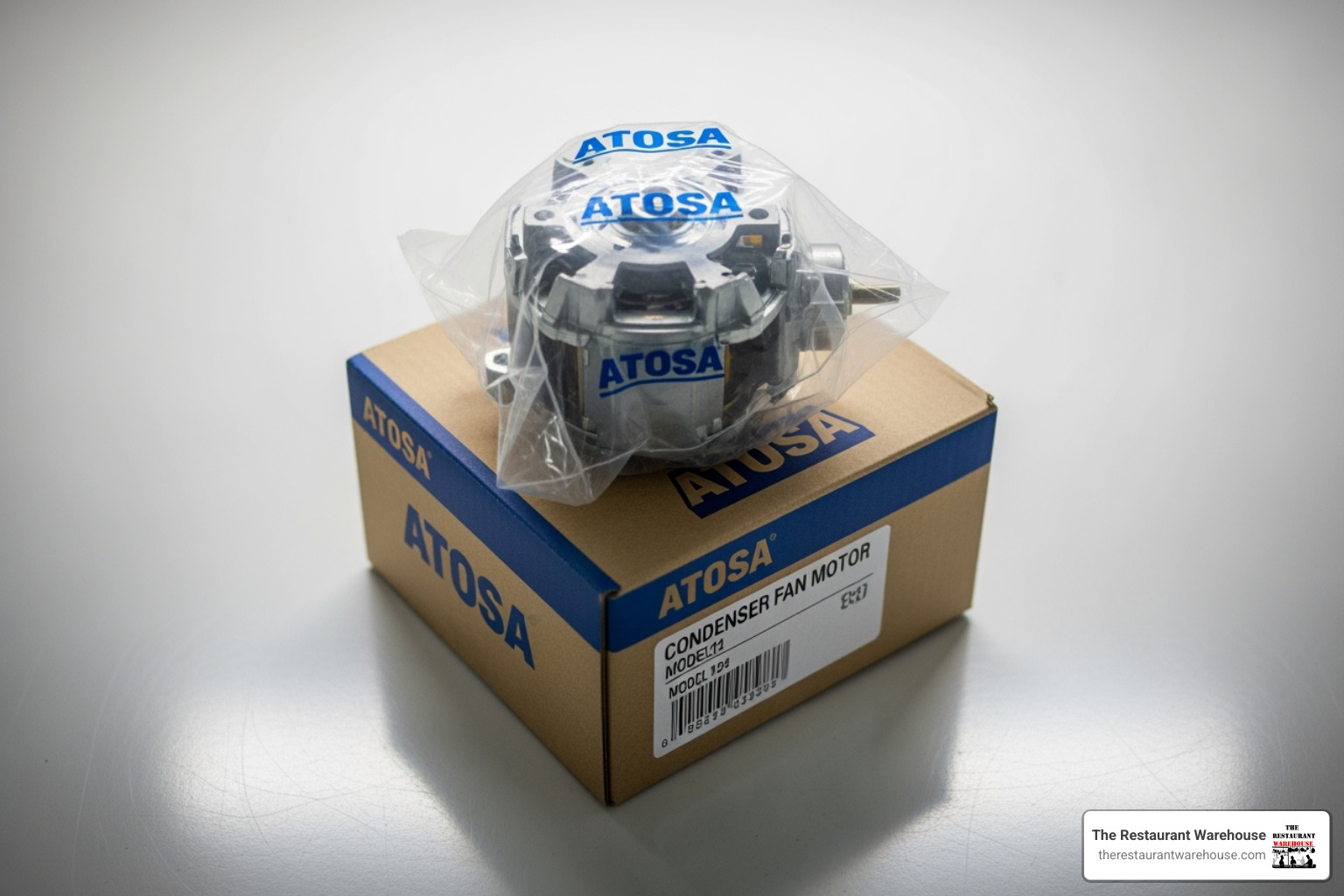
- Perfect Fit and Performance: OEM parts like the W0301905 and W0301907 are made to the exact specifications of your unit, ensuring seamless installation and optimal airflow.
- Safety and Reliability: Genuine parts undergo rigorous testing to meet safety standards for demanding commercial kitchens, ensuring reliable operation.
- Warranty Protection: Using non-OEM parts can void your equipment's warranty, leaving you vulnerable to expensive repair costs for other components.
- Durability: OEM motors are built with higher-grade materials and tighter tolerances, offering a longer service life in tough kitchen environments.
Choosing a genuine Atosa condenser fan motor means choosing reliability, safety, and long-term value.
A simple pre-order checklist
- Photo of original motor label and mounting.
- Confirmed voltage, HP, RPM, rotation, shaft size, and amps.
- Fan blade condition and compatibility verified.
- New run capacitor on the purchase list if your motor requires one.
- Clear plan for safe power isolation and installation downtime.
The Long-Term Impact: Maintenance, Lifespan, and Consequences
Think of your Atosa condenser fan motor as the lungs of your refrigeration system. A well-maintained motor keeps your entire cooling system breathing properly, but neglect can lead to serious problems beyond just a simple motor replacement.
Simple Maintenance to Maximize Lifespan
With proper care, an Atosa condenser fan motor can last 10 to 15 years. Achieving this lifespan comes down to simple, regular maintenance.
- Clean Condenser Coils: This is the most important task. Clogged coils trap heat, forcing the motor and compressor to work much harder. Every few weeks, use a stiff brush or vacuum to clean the fins. Always brush in the direction of the fins to avoid bending them. For greasy environments, consider a food-safe coil cleaner and rinse thoroughly per the product label.
- Clean Fan Blades: Grease and dust on fan blades can throw them off balance and reduce airflow. A quick wipe-down with a damp cloth is all it takes. Inspect for cracks or loose hubs.
- Ensure Proper Ventilation: Your unit needs room to breathe, typically at least 6 inches of clearance on all sides. Do not block intake or exhaust paths with boxes, liners, or cleaning supplies.
- Check for Obstructions: Regularly check that plastic bags, towels, or other debris haven't been pulled into the fan area. Remove any lint mats from the grille.
- Lubrication: Most modern Atosa condenser fan motors are sealed and lubricated for life. If your older motor has lubrication ports, a few drops of light machine oil once a year can prevent bearing failure. Do not add oil to sealed motors.
- Verify Mounting and Guards: Tighten loose fasteners, verify the guard is secure, and ensure the motor grommets or mounts are intact to reduce vibration.
- Electrical Health: Inspect wiring for heat discoloration, brittle insulation, or loose connectors. Replace damaged wiring promptly to prevent arcing.
A quick monthly routine can be the difference between a five-minute cleaning and a five-hour emergency repair. Add condenser cleaning to your regular opening or closing checklist so it gets attention before buildup becomes a problem.
Step-by-step coil cleaning (power off):
- Disconnect power and allow hot components to cool.
- Remove the intake grille and any debris shields.
- Vacuum loose lint and dust from the coil surface and surrounding area.
- Brush the coil fins in the direction of the fins. Avoid aggressive scrubbing that bends fins.
- If needed, apply a food-safe coil cleaner per label directions and rinse carefully, protecting electrical components from overspray.
- Reinstall guards, restore power, and verify strong, warm airflow at the condenser discharge.
The Consequences of a Malfunctioning Motor
Ignoring a failing motor can have severe and costly consequences for your business.
- Compressor Failure: This is the most expensive outcome. When the fan motor fails to remove heat, the compressor is forced to run under extreme pressure and temperature, leading to premature failure. Replacing a compressor can cost thousands.
- Skyrocketing Energy Bills: A struggling system can use significantly more electricity as the compressor runs constantly to maintain temperature. This adds recurring cost to every month you delay.
- Food Safety Risks: When your cooler can't hold a safe temperature (for example, climbing above the typical cold-holding range), you risk inventory spoilage and health code issues. Learn more about the importance of temperature control in food safety at HACCP.
- Emergency Repair Costs: A motor that fails on a busy Friday night will mean paying premium rates for after-hours service and parts.
- Business Downtime: A failed refrigeration unit can bring your entire operation to a halt, resulting in lost revenue that often far exceeds the cost of proactive maintenance.
Investing a few minutes each week into keeping the condenser side clean preserves air movement, protects the motor and compressor, and keeps temperatures exactly where they should be.
Frequently Asked Questions about Atosa Condenser Fan Motors
Here are answers to some of the most common questions we hear from restaurant owners about their Atosa condenser fan motor.
How do I know the correct rotation for my Atosa condenser fan motor?
The rotation direction is critical for proper airflow. You can find it on the motor's specification label, listed as CW (clockwise) or CCW (counter-clockwise) when viewed from the shaft end. Most Atosa models, particularly those using the YZF10-20 motor style, require a CCW rotation. If the label is unreadable, you can observe the direction the old fan spins before it fails completely. Installing a motor with the wrong rotation will cause your system to overheat.
Can I use a generic motor instead of a genuine Atosa part?
While a generic motor might seem like a cost-saving measure, we strongly advise against it. Genuine OEM Atosa parts are engineered to the exact specifications of your unit, guaranteeing a perfect fit, correct performance, and optimal efficiency. Generic motors may not have the same durability or precise electrical characteristics, leading to premature failure or even damage to other components. Furthermore, using non-OEM parts can void your equipment's warranty, leaving you unprotected against more expensive repairs, like a compressor failure.
What is the typical lifespan of a condenser fan motor?
A well-maintained Atosa condenser fan motor can last 10 to 15 years. However, its lifespan is heavily dependent on its operating conditions and maintenance. The biggest factor in premature failure is neglect, especially allowing the condenser coils to become clogged with dust and grease. This forces the motor to overheat and wear out quickly. Regular cleaning and ensuring proper ventilation are the best ways to maximize your motor's service life and prevent an early replacement.
Do I need to replace the run capacitor when I replace the motor?
If your original motor is a PSC design and uses a separate run capacitor, it is best practice to replace the capacitor at the same time. Capacitors are inexpensive compared to downtime, and a weak or failing capacitor can prevent a new motor from starting properly. Always match the microfarad (µF) rating and voltage printed on the new motor's label.
Can I reverse rotation by swapping wires?
Only if the motor is specifically designed to be reversible. The nameplate will indicate if rotation is reversible and how to change it. Many condenser fan motors are fixed-rotation. Do not assume wiring swaps will safely reverse direction; follow the motor's wiring diagram.
How can I tell if the issue is the condenser fan motor or the compressor?
Observe airflow and sound. If the condenser fan is still, weak, or noisy, start there. Little to no warm air leaving the condenser area points to a fan problem. If the condenser fan runs normally but the unit still struggles, other issues (dirty evaporator coil, door gasket leaks, refrigerant charge problems) may be involved. Because compressor diagnosis involves high voltage and refrigerant circuits, a qualified technician should assess compressor issues.
What should I look for in the replacement fan blade?
Match diameter, number of blades, rotation (clockwise or counter-clockwise from the shaft end), hub bore size, and pitch. A mismatch can drastically cut airflow even with a correct motor. If the original blade is undamaged and the hub fits the new shaft, reusing it is often the best option.
Where can I learn more about motor basics?
For a concise overview of how capacitor-run motors operate, see Capacitor-run motors. Understanding the basic principles will help you recognize why matching voltage, rotation, and load is so important.
Conclusion: Keep Your Cool with the Right Component
Your Atosa condenser fan motor is a small but essential component that protects your entire refrigeration system. Paying attention to warning signs like grinding noises, inconsistent cooling, or a fan that won't spin can save you from major headaches.
When choosing a replacement, the details matter. Matching the voltage, RPM, and rotation direction (typically CCW for Atosa) is non-negotiable. We always recommend genuine OEM Atosa parts, such as the W0301905 or W0301907 models, to ensure a perfect fit, guaranteed performance, and warranty protection. A generic part is a gamble you can't afford to take.
Simple, proactive maintenance like regularly cleaning your condenser coils is the key to a long motor life of 10-15 years and helps you avoid catastrophic compressor failure, high energy bills, and food spoilage. Add condenser cleaning to your staff's routine so airflow stays strong and temperatures remain steady.
Your Atosa condenser fan motor works hard for your business. When it's time for a replacement, choosing the right part ensures your refrigeration system will continue to operate reliably for years to come. For a proactive maintenance refresh or to get a down unit back online fast, it is critical to match specifications correctly and source a quality part quickly.
About The Author

Sean Kearney
Sean Kearney is the Founder of The Restaurant Warehouse, with 15 years of experience in the restaurant equipment industry and more than 30 years in ecommerce, beginning with Amazon.com. As an equipment distributor and supplier, Sean helps restaurant owners make confident purchasing decisions through clear pricing, practical guidance, and a more transparent online buying experience.
Connect with Sean on LinkedIn, Instagram, YouTube, or Facebook.